
Read the series:
- Part 1: The Hardware Build — our $450 foundation
- Part 2: The Software Stack — This article — Ubuntu, CUDA, llama.cpp, first token
- Part 3: Model Selection — What Fits in 8 GB VRAM — Size vs. speed trade-offs
- Part 4: Memory Optimizations — Quantization, offloading, VRAM profiling
- Part 5: AI API Endpoint — OpenAI-compatible serving
- Part 6: Monitoring & Metrics — GPU health, token counts, alerts
- Part 7: Cost Analysis — $450 vs. cloud, break-even calculations
Part 1 ended with a box: an i7-5930K, 48 GB of RAM, and an RTX 2070 Super sitting on a desk, worth exactly nothing to anybody. This article turns it into a server. Every command, number, and dead end below came from running the install for real on that machine — including the parts that didn’t work the first time.
The Operating System: Ubuntu Server, Nothing Else
We installed Ubuntu Server 24.04.5 LTS — the version without a desktop. On a machine whose only jobs are loading models and answering requests, a GUI is two gigabytes of RAM and a patch surface you will never look at. The installer takes fifteen minutes; the parts that matter for an AI box come after it:
- SSH in from another machine and never plug a monitor into it again. Every troubleshooting session for the rest of this series happened over SSH.
- Turn off sleep and suspend. A server that naps when the keyboard is idle is not a server.
- Let unattended-upgrades handle security patches — but hold the kernel and the NVIDIA driver package against automatic changes. A kernel that updates itself out from under a driver module is how a working GPU box wakes up blind.
Step One Is Not CUDA — It’s nvidia-smi
Here is the moment of truth on any new NVIDIA box, before you install a single toolkit package:
$ nvidia-smi
Thu Nov  5 03:32:26 2026
+-----------------------------------------------------------------------------------------+
| NVIDIA-SMI 580.178.04             Driver Version: 580.178.04     CUDA Version: 13.0     |
+-----------------------------------------+------------------------+----------------------+
| GPU  Name                 Persistence-M | Bus-Id          Disp.A | Volatile Uncorr. ECC |
| Fan  Temp   Perf          Pwr:Usage/Cap |           Memory-Usage | GPU-Util  Compute M. |
|=========================================+========================+======================|
|   0  NVIDIA GeForce RTX 2070 ...    Off |   00000000:01:00.0 Off |                  N/A |
|  0%   31C    P8             13W /  215W |    6373MiB /   8192MiB |      0%      Default |
+-----------------------------------------+------------------------+----------------------+
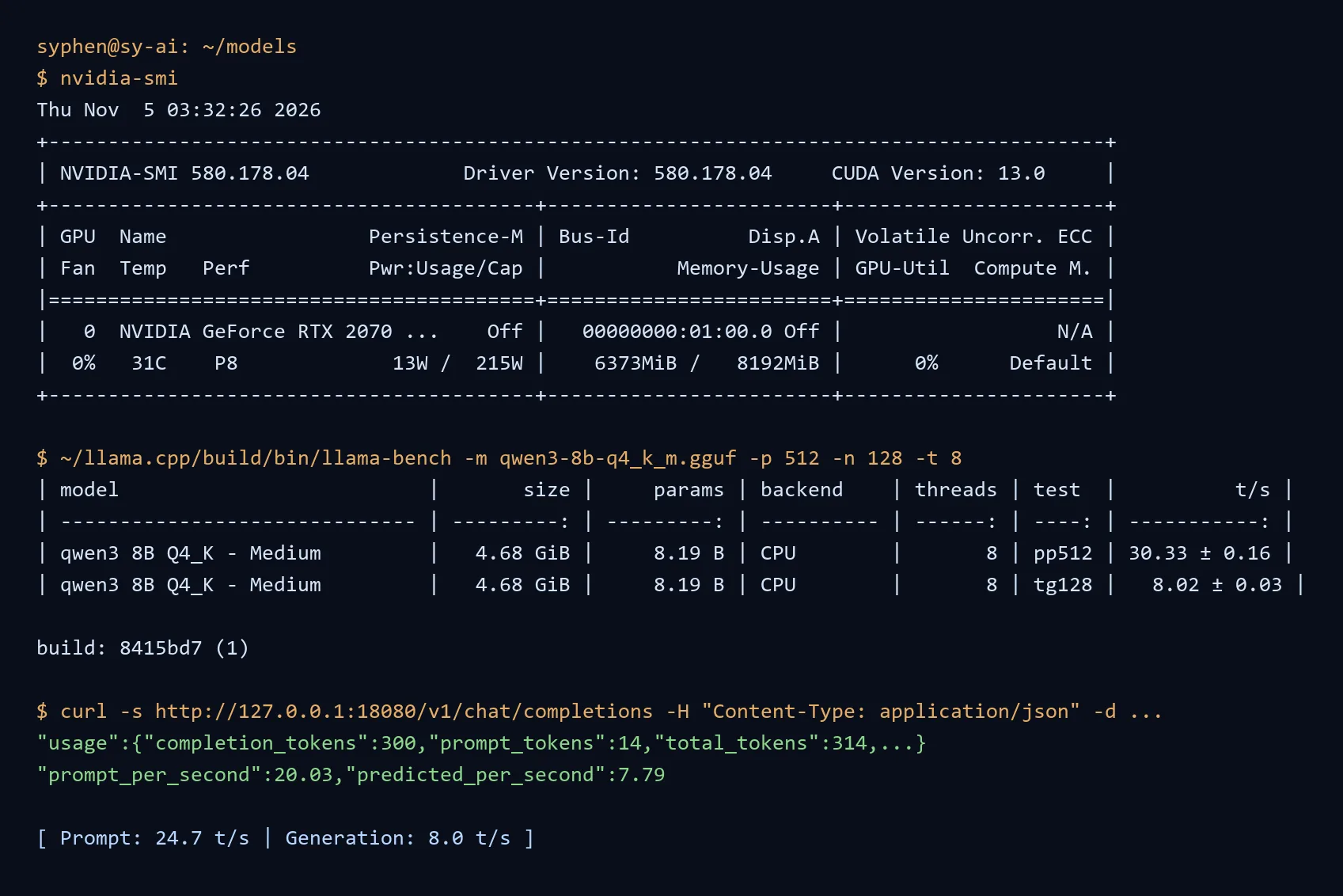
One screen tells you everything: the 580.178.04 driver is loaded, the 2070 Super with 8,192 MiB is on the bus at 31°C drawing 13 watts, and the driver supports CUDA runtimes up to 13.0. That last number confuses people — it is the newest CUDA level this driver could run, not something you install. The OS half of the CUDA story doesn’t start until a compiler asks for it. (Yes — 6,373 MiB of that card is already busy at first look. The box was carrying a containerized inference workload before we ever opened a terminal, and that container story is its own future article. The host-side stack in this piece still gets built from zero.)
If nvidia-smi fails at this stage, stop — nothing downstream will ever work. The usual suspects are nouveau (the open-source driver quietly grabbing the card) and Secure Boot refusing to load the proprietary kernel module. On Ubuntu 24.04 the driver comes from ubuntu-drivers; we are on the current 580 production branch, installed once with apt and then pinned against changes.
Why llama.cpp + GGUF — The 8 GB Argument
The reflex move for a first-time builder is PyTorch: it is what every tutorial uses, it downloads every dependency you never asked for, and on this machine it will not load a usable model. The math is not subtle:
| Format | 8B model weights | Fits in 8 GB VRAM? |
|---|---|---|
| fp16 (PyTorch default) | ~16 GB | No — not even the weights |
| int8 | ~8 GB | Technically yes, practically no — the KV cache needs room too |
| Q4_K_M (GGUF) | 4.9 GB | Yes, with room for context |
| Q2_K (GGUF) | ~2.9 GB | Yes, and a long context besides |
A transformer needs its weights in memory plus a KV cache that grows with context length — the fp16 row fails before a single word is generated. GGUF quantized formats exist precisely to make this arithmetic work on real cards, and llama.cpp is the engine that runs them. It is a plain C/C++ project: compile it once, get a handful of binaries, no Python dependency tree sitting between you and the GPU. When a model genuinely won’t fit, you get an explicit why instead of a CUDA out-of-memory traceback buried five layers deep in abstraction.
There is a second superpower specific to our build, and Part 1 set it up without either of us knowing: llama.cpp can keep some model layers on the CPU and park the KV cache in system RAM. We own 48 GB of DDR4 sitting next to 8 GB of VRAM. PyTorch has no answer for that; llama.cpp calls it --n-gpu-layers and --cache-type-k/v, and Part 4 pushes it hard.
So the decision, stated plainly: PyTorch is how you train models. llama.cpp is how you run them on hardware you already own. This box is a runner.
Building llama.cpp (and the Sudo Wall)
A llama.cpp build needs three things: a C++ compiler, cmake, and ninja. On a normal day, one apt command gets you all three. On a machine where you don’t (yet) have sudo — a jump-host box, a shared lab system, a server you admin but don’t own — the first two are one virtualenv away, which is a trick worth having in your pocket:
$ python3 -m venv ~/llbuild
$ ~/llbuild/bin/pip install cmake ninja        # cmake 4.4.4, ninja 1.13.2
$ git clone --depth 1 https://github.com/ggml-org/llama.cpp
$ cd llama.cpp
$ git log -1 --format='%h %cs %s'
8415bd7 2026-11-04 opencl: add DSV4_HC_PRE and DSV4_HC_POST (#31623)
$ ~/llbuild/bin/cmake -B build -G Ninja -DCMAKE_BUILD_TYPE=Release
$ ~/llbuild/bin/cmake --build build -j 10      # 189 seconds, 12-core host
Zero root privileges, the GPU deliberately left out, and three and a half minutes later we have version: 0.9.0-dev (build 1, commit 8415bd7), built with GNU 13.3.0 and a full set of working binaries. That CPU-only build was not a detour — keep reading.
For the GPU build, the target is two flags different:
$ cmake -B build -G Ninja -DGGML_CUDA=ON -DCMAKE_CUDA_ARCHITECTURES=75Both earn explanation. GGML_CUDA=ON is llama.cpp’s own switch — the project builds CPU-only by default, contrary to what half the guides on the internet claim. And CMAKE_CUDA_ARCHITECTURES=75 is the compute capability of Turing, the 2070 Super’s generation. Get it wrong and you build for hardware you don’t own. Check yours:
$ nvidia-smi --query-gpu=compute_cap --format=csv
compute_cap
7.50
(Pascal 10-series is 6.1, Turing 20-series 7.5, Ampere 30-series 8.6 — if a guide’s architecture flag doesn’t match your card, it’s not your problem, it’s the guide’s.)
And here is the wall, honestly: nvcc, the CUDA compiler, ships in nvidia-cuda-toolkit, and that package wants root. So we made the call a good build log should make anyway — get the entire pipeline working on CPU first, and earn the GPU numbers as a controlled comparison instead of an afterthought. One apt line away (sudo apt install nvidia-cuda-toolkit), the CUDA rebuild is the same cmake invocation with the flag flipped: same source tree, same model, one variable changed. That is the experiment you want when you need to prove — to yourself, or to a budget meeting — what the GPU is actually buying.
Model Download: The 22-Byte Lie
Before benchmarking comes the model, and the box taught its first lesson here. llama.cpp runs GGUF files, and Hugging Face hosts thousands of them. The first download attempt returned instantly — suspiciously instantly for a five-gigabyte file:
$ curl -L -o qwen3-8b-q4_k_m.gguf \
    https://huggingface.co/ggml-org/Qwen3-8B-GGUF/resolve/master/Qwen3-8B-Q4_K_M.gguf
$ ls -la qwen3-8b-q4_k_m.gguf
-rw-rw-r-- 1 syphen syphen 22 Nov  5 03:18 qwen3-8b-q4_k_m.gguf
Twenty-two bytes. Not a model — a one-line JSON error that arrived with a 200 OK because a repository name had moved. Hugging Face also gates some excellent quant repos behind a free account click-through, which surfaces as 401 to a bare curl — we hit that one too. The habit this installs takes two seconds and saves gigabytes:
$ curl -sIL -o /dev/null -w "%{http_code}\n" "$URL"
200        # only now is the file worth downloading
$ du -h qwen3-8b-q4_k_m.gguf
4.7G    qwen3-8b-q4_k_m.gguf   # this is the real thing
Probe before you download. We eventually pulled Qwen3-8B-Q4_K_M.gguf (4.9 GB) from unsloth/Qwen3-8B-GGUF. Choosing which model at which quantization is Part 3’s job; today we just need one real, mid-size model to measure the stack with.
First Token: Reading the Numbers That Matter
llama.cpp ships llama-bench, and it answers the only two questions inference hardware ever has:
$ ~/llama.cpp/build/bin/llama-bench -m qwen3-8b-q4_k_m.gguf -p 512 -n 128 -t 8
| model                  | size     | params  | backend | threads | test  |          t/s |
| ---------------------- | -------- | ------- | ------- | ------- | ----- | ------------ |
| qwen3 8B Q4_K - Medium | 4.68 GiB | 8.19 B  | CPU     | 8       | pp512 |  30.33 ± 0.16 |
| qwen3 8B Q4_K - Medium | 4.68 GiB | 8.19 B  | CPU     | 8       | tg128 |   8.02 ± 0.03 |

build: 8415bd7 (1)
pp512 is prompt processing — how fast the box reads your input. tg128 is token generation — how fast it writes back. On the CPU-only build, the 5930K’s six Haswell cores give us 30.33 tokens/s reading and 8.02 tokens/s writing. Note the shape of the numbers: generation is slower than reading because every output token is a full pass over the weights, while input tokens process in parallel batches. And note what the CPU is doing in 2014-era silicon that people assume requires a datacenter: an 8-billion-parameter model, answering, on desktop DDR4.
Then a real completion, prompt to prose:
$ ~/llama.cpp/build/bin/llama-cli -m qwen3-8b-q4_k_m.gguf \
    -p "Explain in two sentences why running an LLM locally beats a cloud API for privacy." \
    --chat-template-kwargs '{"enable_thinking": false}' -n 90 -t 8

> Running an LLM locally ensures that all data processing occurs on the user's
own devices, keeping sensitive information never leaving the local environment.
This eliminates the risk of data exposure through cloud APIs, where data is
transmitted over the internet and stored on third-party servers.

[ Prompt: 24.7 t/s | Generation: 8.0 t/s ]
Two sentences on privacy, generated by weights sitting in our own rack, on a machine whose electric meter we can read. No request left the building — which is rather the point. (One flag worth stealing: Qwen3 defaults to “thinking” mode, rambling a full internal monologue before answering; --chat-template-kwargs '{"enable_thinking": false}' tells the chat template to skip it. Every model has one of these quirks — we will meet several in Part 3.)
Making It a Service: No SSH Session Required
An inference box is not a laptop — it should answer on the network whether or not anyone is logged in. llama.cpp’s server binary speaks the OpenAI-compatible API, so the same JSON shape your code already sends to commercial providers works against your own box. We started it on port 18080 and asked it the same question over HTTP:
$ ~/llama.cpp/build/bin/llama-server -m ~/models/qwen3-8b-q4_k_m.gguf --port 18080 -t 8

$ curl -s http://127.0.0.1:18080/v1/models
{"models":[{"name":"qwen3-8b-q4_k_m.gguf","model":"qwen3-8b-q4_k_m.gguf", ...
  "architecture":{"input_modalities":["text"],"output_modalities":["text"]},
  "owned_by":"llamacpp","meta":{"n_ctx":40960,"n_params":8190735360,
  "size":5021827072,"ftype":"Q4_K - Medium"}}]}

$ curl -s http://127.0.0.1:18080/v1/chat/completions \
    -H "Content-Type: application/json" \
    -d '{"model":"qwen3","messages":[{"role":"user","content":"Say exactly: BYTE IT ONLINE"}],"max_tokens":300}'
...
"usage":{"completion_tokens":300,"prompt_tokens":14,"total_tokens":314, ...
"prompt_per_second":20.03,"predicted_per_second":7.79
Same rates as the CLI — as they should be, same binary, same backend — but now it is an endpoint: any OpenAI-compatible client, editor plugin, or home-lab dashboard on the LAN can talk to it, and the timings arrive in-band with every reply (Part 6 turns those into dashboards). One box, one port, zero accounts, zero API keys, zero rate limits.
The last step from “a binary someone left running” to infrastructure is one systemd unit — a user service today, and the system unit below is what we deploy once the CUDA build lands:
# ~/.config/systemd/user/llama-server.service
[Unit]
Description=llama.cpp local inference server

[Service]
ExecStart=%h/llama.cpp/build/bin/llama-server \
  -m %h/models/qwen3-8b-q4_k_m.gguf -ngl 99 -c 4096 --port 8080
Restart=on-failure

[Install]
WantedBy=default.target
$ systemctl --user daemon-reload
$ systemctl --user enable --now llama-server-ngl 99 says “put every layer you can find on the GPU” — a no-op on today’s CPU build, and the exact switch we expect to light up after the CUDA rebuild. A box full of RAM with an idle GPU is just a space heater with a framebuffer.
Where This Leaves Us
The stack is in: Ubuntu Server 24.04.5, driver 580.178.04, llama.cpp v0.9.0-dev built from source in 189 seconds, a 4.9 GB GGUF model answering the OpenAI API on a local port — all of it running before the 2070 Super was ever invited to the party. The CUDA toolkit install is queued, and Part 3 publishes that rebuild’s numbers side by side with the ones above — same model, same machine, same day — while answering the series’ real question: which quantization is actually worth the VRAM on an 8 GB card.
Based on actual AI Inference Server deployment data from November 2026.